
Search ninja part 2: How to find older versions of software (and much more)
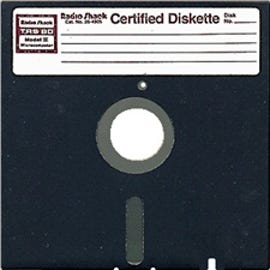
Yeah. *That* old.
After reading a post written on TechRepublic regarding finding older versions of Microsoft Office software, I was a bit underwhelmed by the choices provided. As such, I thought I would set aside the strictly-Google aspect of my “search ninja” series and take this opportunity to greatly expand upon ways to find older versions of software, drivers, or just about any type of file for that matter, regardless of age.
If you don’t want to pay to upgrade or solely rely on torrents as suggested in the TechRepublic post, then try searching based on the information I cover below. And again, don’t go thinking this is just about finding old versions of software! While I’m making that the primary focus, these methods will serve you well for searching for just about anything you want to find! Personal epiphanies are sure to follow if you at all love the art of search.
Now, before I delve into methods and examples, I have to issue the standard caveat that warns of potential viruses, malware, etc. At the end of the day, it all boils down to how comfortable you are with installing something on your computer that you found on a site other than one you would typically trust immediately. Also, some of the sites you run across may come equipped with pop-ups/ads-galore, so I highly recommend traveling down this path with something like Firefox + Adblock Plus.
Alright. So, what’s our objective here? To find older versions of software. As such, let’s make a list of some characteristics that will help us greatly in discerning what we should be searching for:
1 – Application Names: There’s the product name; the name of the installation file; the name of the main executable after the product is installed; the name of the compressed file if you downloaded your application in a format like .zip, .7z, or .rar initially; nicknames for the application that might be popular, such as Office 2007/Office 2K7/O2K7, etc; and code names for the application (if you’re looking for early/beta versions of products, sometimes they will be called by their code name).
2 – Version Number: Every software has a version of some sort — even if it’s just the year, such as “Office 2007” or “Office 2010.” The version number of software can be found in a multitude of places: on the box, CD case, or other packaging (if your old software came to you physically); in the help/about/version menu within the software; within the file name of the installation exe; in the properties menu when right-clicking on the main exe; on the Web site of the maker of the application; and other places on the Web — the latter two, typically requiring some sort of information you can correlate to what you find online.
3 – Methods of Distribution: Sometimes, it can help to know avenues of distribution. For instance, there are sites dedicated to software downloads. Usually, though, they keep up-to-date versions. Aside from those sites or the software maker’s site, there may be other sources of distribution, such as MSDN/Technet/MSDNAA/etc. for Microsoft products. Additionally, knowing if the file was served as an msi, exe, iso, or otherwise could help narrow the search field. Having an idea about these things can give you even more information to search for. This one is kind of vague, I know, but it will make sense as I provide examples later in the post.
Okay, so with some combination of the aforementioned in mind, you should be ready to begin searching for your elusive software. As such, below is a comprehensive (though certainly not complete) list of avenues and methods you can use to search for your software. Please note that these are in no order of importance and I absolutely encourage your feedback if you have a particular method or site you use for tasks related to this post:
Software Author: Before you bust out the big search guns, you may want to start at the Website of the author of your application. Sometimes, they have archives that allow you to go back and download previous versions. If such is not the case, then utilize the site’s contact form/information to reach out and inquire about older versions! If they try to up-sell you to the latest version, just say something like the specific version you’re requesting has undergone compliance testing and is the required version for the system it’s going to reside on (which you can say crashed, thus the need for the software again). If not that, then let this example serve as a lesson to be creative and prepare yourself for combating the up-sell.
Auction/Trade Sites: Sites like Amazon, ebay, and Craigslist can be great for obtaining old versions of well-known software (Windows, Office, Photoshop, etc.) — if you’re willing to pay, that is. Sure, there’s a certain amount of risk involved with these avenues due to counterfeit software and the likes, but remember my caveat up in the second paragraph of this post? Same deal here.
FindFiles: Previously known as FileMirrors, FindFiles is a great place to search for popular and obscure software. As a veteran of the site, I have some sage words of advice for you. First, in the upper right-hand corner of the site, click “settings.” Then, change “default search data” to “mirrors” and change “results per page” to 50. Now, let’s say you’re searching for something as generic as “Windows.” What you will see are 50 results, but no way to go beyond those 50. If you look in the upper left-hand corner of your window (all the way up, where the page’s title is), you’ll see just how many results there are for “Windows” (currently 1747). To see more than the first 50, you have to do a bit of URL hacking.
All you have to do is add &page=2 to the end of the URL to see another whole page of results. If you want to go beyond that, just change the 2 to a 3 and so on and so forth. To see what I mean, here is the initial search; here is page 2 of results for that search; and here is page 3. Look at the URL up in your search bar for each of those searches to get the gist.
Internet Archive “Way Back Machine”: Commonly referred to by its domain name, archive.org, the “Way Back Machine” shows you older versions of sites as they existed however long ago they were discovered by the service. Although it’s iffy as to what it archives and the size of files it decides to archive, this can be a good way to go back and see what version the software was at within a specific time frame. If you’re lucky, while you’re combing through pages as they were way back when, archive.org may have just decided to save the exact file from that time frame of the software you’re looking for! With that said, the best way to visualize what I’m talking about is to try the site out. Go ahead and search for microsoft.com there. You can go all the way back to 1996!
Napalm FTP Indexer: Napalm FTP Indexer has been a gem for me throughout the years. I used to use it to find anonymous FTPs that I could use to upload and share files with large masses of people before torrents or file sharing sites like Rapidshare were around. But I digress. Put simply, this site searches FTPs it finds on the Web and indexes for whatever you put in the “keyword” search box. It’s about as straightforward a process as it gets, so try it out! Another great FTP indexer is Mamont.
File-sharing Sites: Today, file-sharing sites are a dime-a-dozen — sites like RapidShare, FileServe, Megaupload, Hotfile, MediaFire, etc. And for these sites, there exist search engines — like FilesTube — that specifically index files from these types of sites only. Most of these services let you download files for free, but you have to wait a while before you can download one file after another… unless you pay for premium, which is typically a monthly fee that affords you unlimited, faster downloads. Used in conjunction with JDownloader, it’s hard to go wrong with these types of sites. Sometimes, they end up being your last resort. If FilesTube is a bust, you can always use Google’s site: operator for sites like FileServe, like so.
And with those covered, it’s time for page two, where I focus completely on Google. In part 3 of this series, I will focus primarily on Bing, but still get Google in there (just so you know what’s to come after this post). Anyway, head on over to the next page where I show you how quickly Google can find something like Office 2003. It may convince you to make Google your first avenue before trying anything else beforehand.
Finding old software with Google… »